
Online Reservations
Every booking in one book the whole team can read.
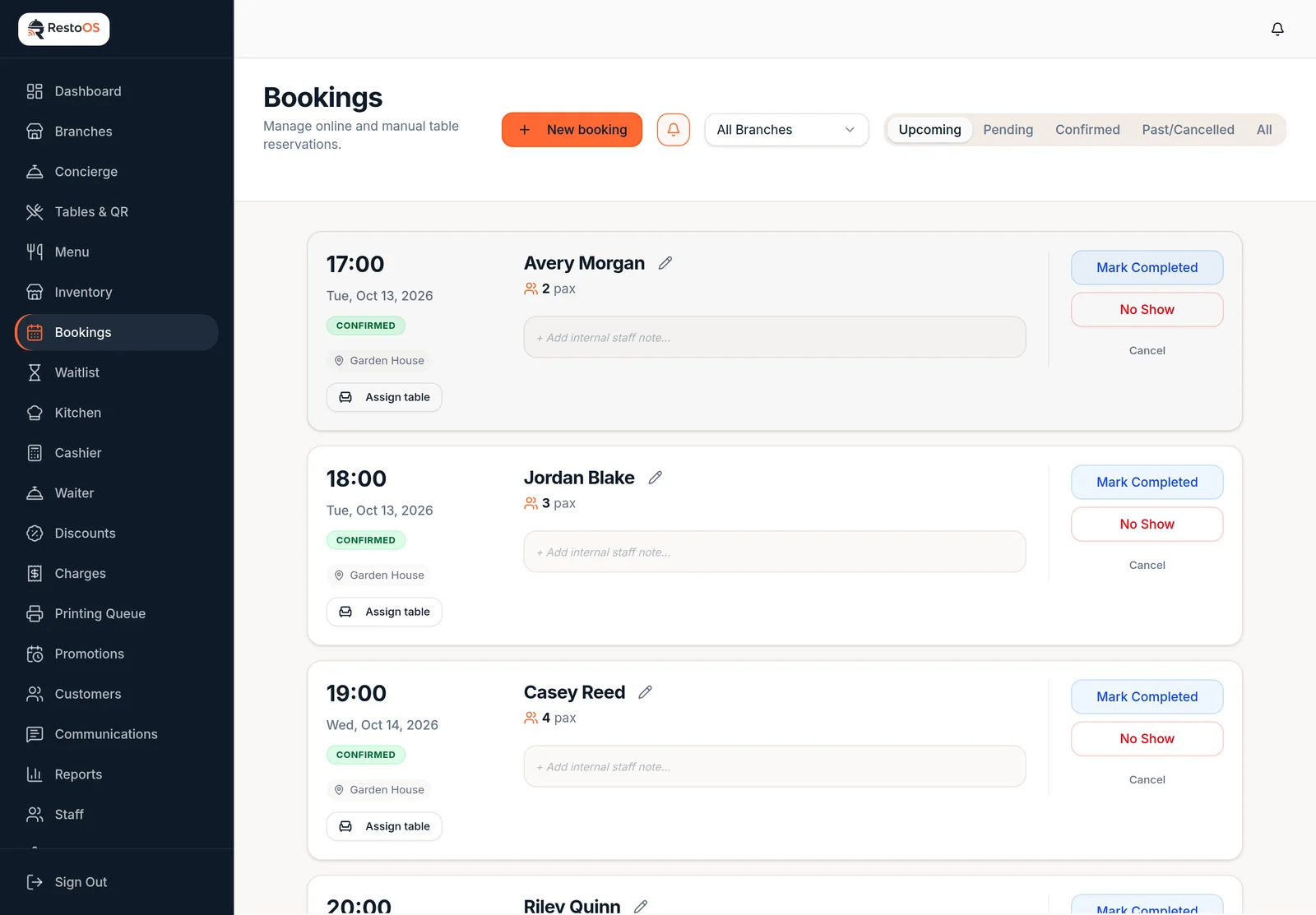
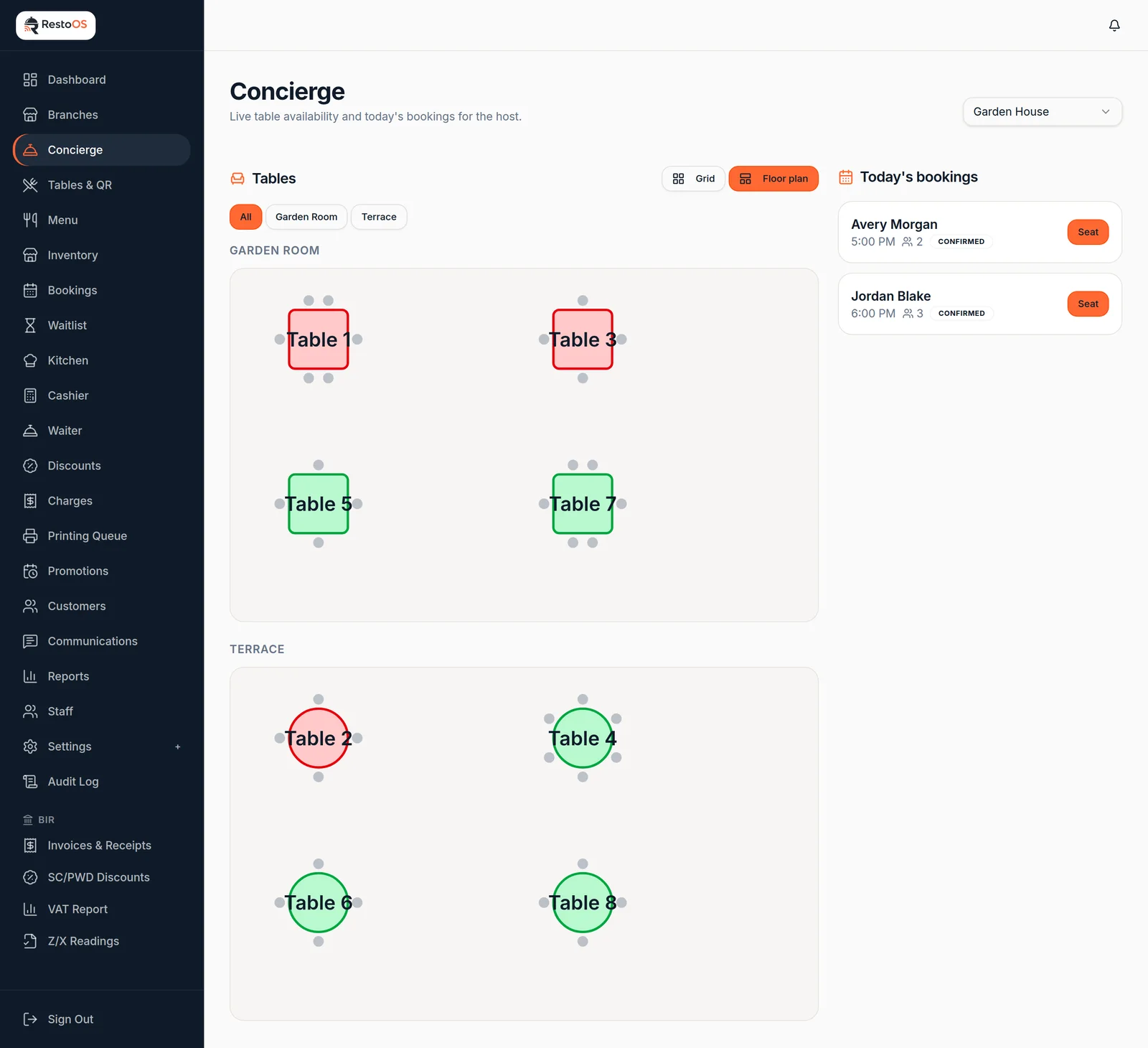
Instead of a notebook, a chat thread and someone's memory, bookings are recorded in RestoOS. Your team sees who is coming, when and for how many, alongside the tables they will sit at.
01 / The problem
Bookings slip through scattered channels.
A regular messages the owner. A walk-in books for next week at the counter. Someone takes a call during service and writes it on a receipt. By Sunday, two parties are expecting the same table and nobody knows who promised what.
- Reservations spread across chat, calls and notebooks
- Double-booked tables on the busiest nights
- Staff unprepared for large parties
- Regulars who feel forgotten when their booking is missing
02 / How RestoOS solves it
Record it once. Everyone sees it.
- 1
Booking is recorded
The reservation goes into RestoOS with the guest's name, time and party size.
- 2
Team can see it
Floor staff and managers view the day's bookings in one place.
- 3
Plan the floor
Bookings sit alongside table status so you can prepare for arrivals.
- 4
Welcome the guest
When they arrive, the booking is there and the table is ready.
03 / In practice
A birthday booked on Thursday, ready on Sunday.
A family restaurant. A regular wants a table for twelve to celebrate her mother's birthday.
- Thu
The booking for twelve at 6 pm Sunday is recorded in RestoOS.
- Sat
The manager reviews Sunday's bookings and plans the floor around the large party.
- Sun 17:30
Floor staff check the day's bookings and prepare the tables.
- Sun 18:00
The family arrives and is seated without a search through notebooks.
- One record, seen by everyone, turned a phone call into a well-prepared evening.
04 / Key capabilities
How bookings are handled.
- Online reservations
- Accept and record bookings in one place.
- Shared booking list
- Staff and managers can view upcoming reservations.
- Alongside table status
- See bookings next to the floor so arrivals are planned.
- Guest details per booking
- Name, date, time and party size recorded with each reservation.
05 / Business benefits
Fewer missed bookings, better-prepared nights.
Operational benefits
- 01
Fewer double bookings
One shared record makes conflicts visible early.
- 02
Better preparation
Know about large parties before they walk in.
- 03
A warmer welcome
Guests arrive to a table that was expected.
Financial benefits
Described in plain terms. We do not quote savings percentages or guaranteed returns.
Fewer lost covers
Bookings that are recorded are bookings that are honoured.
Staffing to demand
Seeing busy days in advance helps you roster sensibly.
06 / Works with
Related features
Messaging guests about bookings. Not currently enabled.
Read the feature pageOnce seated, guests order from the table.
Read the feature pageUnderstand busy periods from your records.
Read the feature pageBookings kept per branch. Confirm your setup.
Read the feature page
07 / Questions
Questions about bookings.
See next Sunday's bookings in one view.
We will record a demo booking and show how your team sees it, then discuss how you take reservations today.