
Restaurant and bar management software
Run Your Restaurant Smarter.Serve Customers Faster.Grow Your Business.
RestoOS connects ordering, the kitchen, billing, reservations and reporting.
Built for Filipino businesses.
Priced for the Philippines.
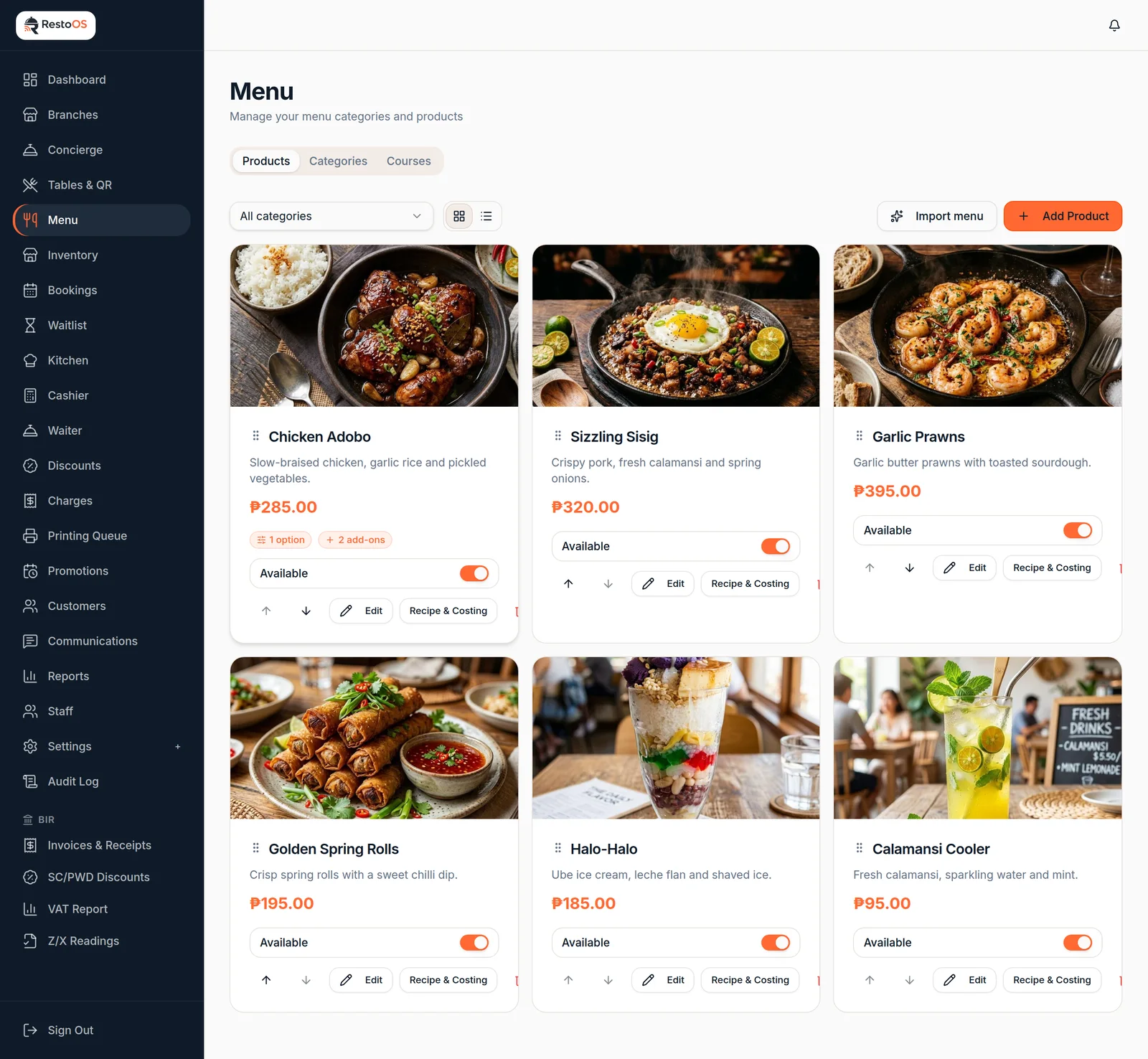
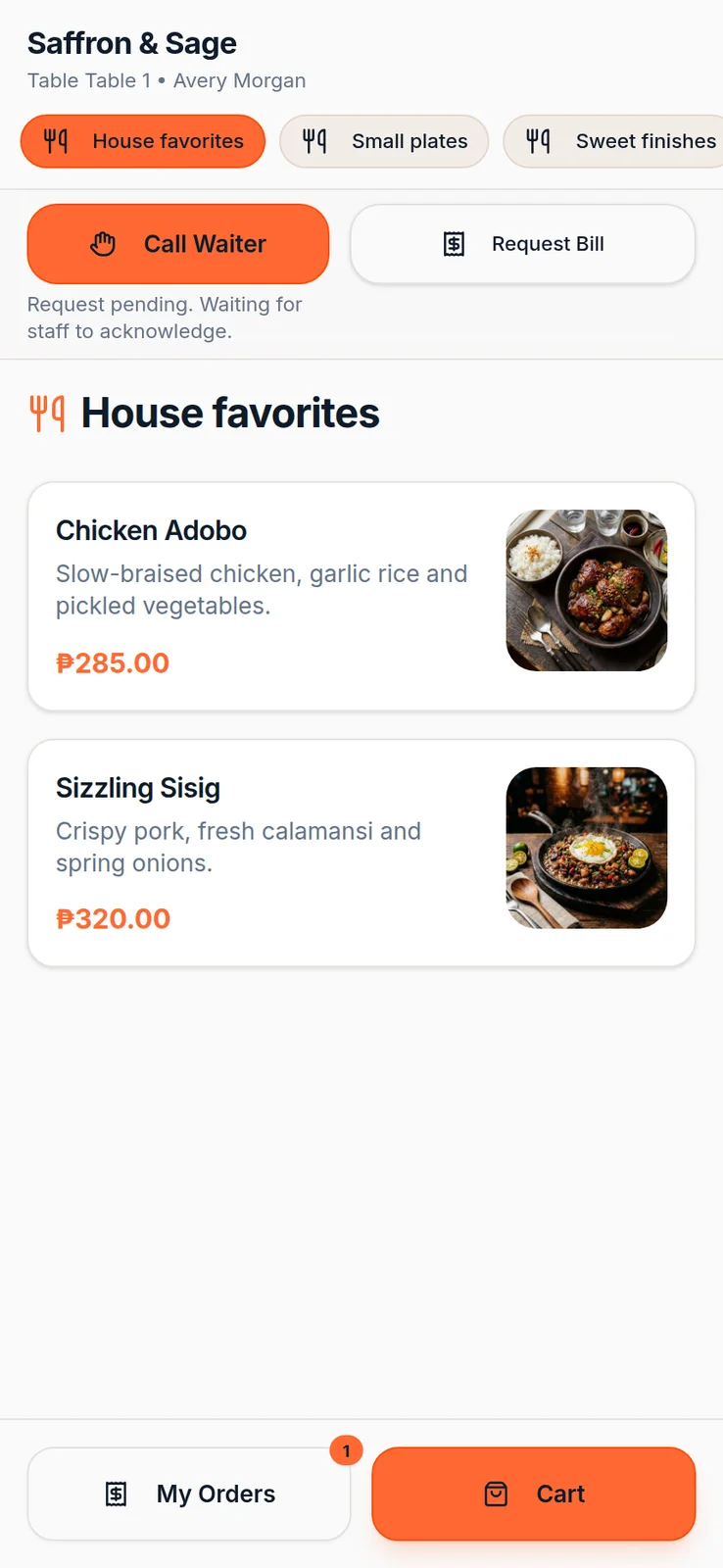
- Table QR ordering
- Kitchen display
- POS & split bills
- Reservations
02The problem
Running a Restaurant Shouldn't Be This Complicated.
Paper tickets, chat threads and separate tools each solve one thing and break the next. These are the gaps that slow a service down.
Slow ordering
Guests wait for a server, a menu and a pen before anything starts moving.
Order errors and kitchen miscommunication
Handwritten tickets get misread, misplaced or modified on the way to the pass.
Stock waste
Without a clear view of ingredients, over-ordering and spoilage go unnoticed.
Missed reservations
Bookings live in notebooks, chat threads and memory, and some slip through.
Rising costs and manual work
Hours go into tallying, copying and reconciling instead of running the floor.
Limited reporting
End-of-day numbers arrive late, incomplete or not at all.
03The solution
One Smart System. A Better Way to Run Your Restaurant.
Every order follows one connected path, so each role sees the work in front of them the moment it arrives.
- 1
Customer orders
QR Code Ordering
- 2
Kitchen receives
Instant ticket
- 3
Food prepared
Status tracked
- 4
Waiter delivers
Ready alerts
- 5
Cashier processes bill
Split payments
04Walkthrough
See How RestoOS Works — From Table to Kitchen to Checkout.
Select a step to see each role's part of the service. Use the arrow keys to move between steps.
Step 1 of 5
Guests order from the table
Customers simply scan the QR code at their table, browse the menu, and place their orders directly from their phones. Orders are instantly sent to the kitchen for preparation, without needing to wait for a waiter.
- Fewer trips to the table and fewer transcription mistakes.
- Customers can also press the 'Call Waiter' button if they need a waiter.
05Features
Everything Your Restaurant Needs. All in One Place.
RestoOS connects ordering, the kitchen, billing, reservations and reporting.
QR ordering
Guests order the moment they sit down.
Saturday, 7:40 pm. Every table is full and two servers are covering the floor.
Each table has its own QR code. Guests scan it, browse your menu on their own phones and send the order. It arrives in the system already tied to the right table, with nothing to rewrite.
- Fewer trips just to take orders
- Fewer misheard or misread orders
- Guests can add another round without waving for staff

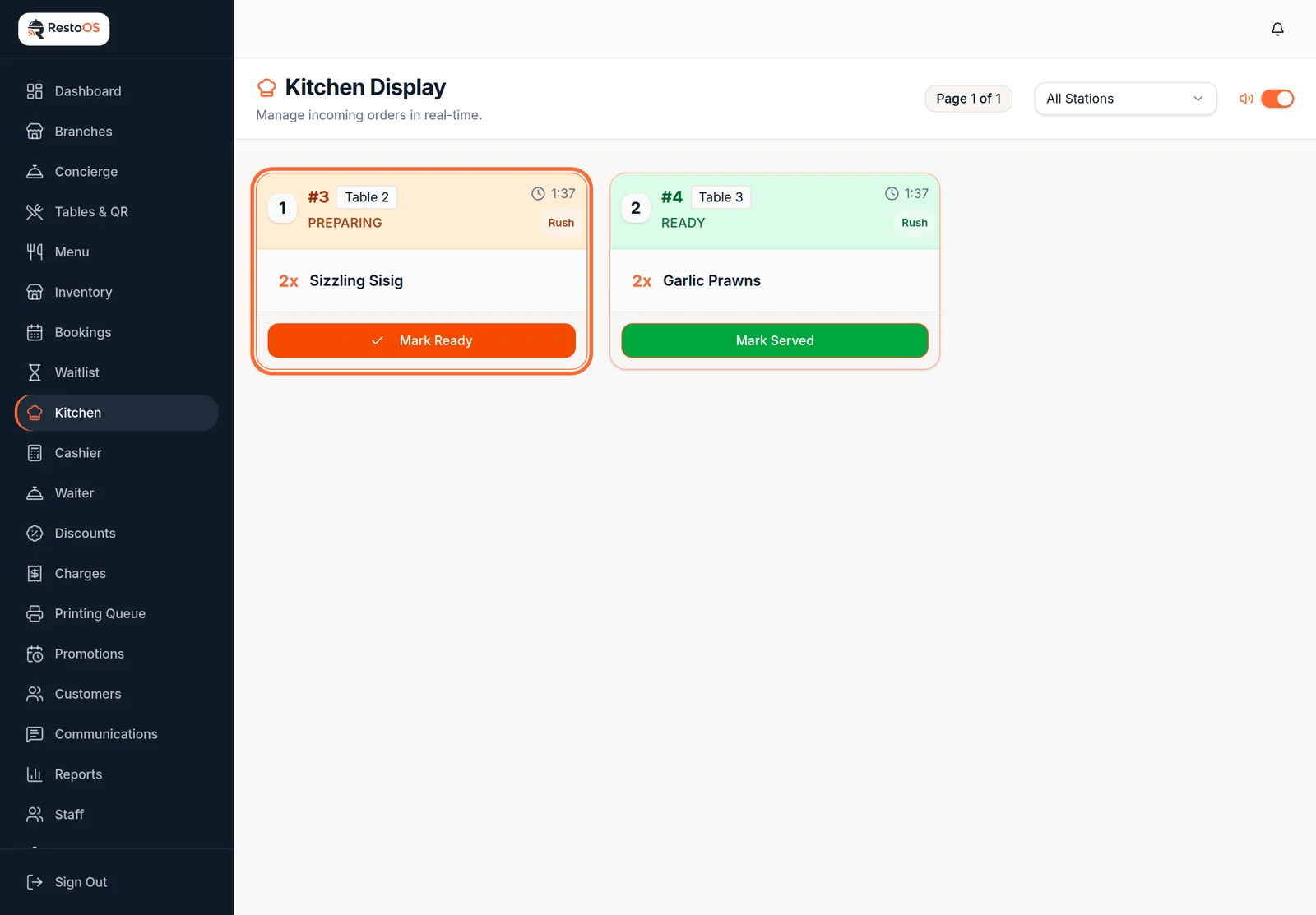
Kitchen management
The kitchen sees every order clearly.
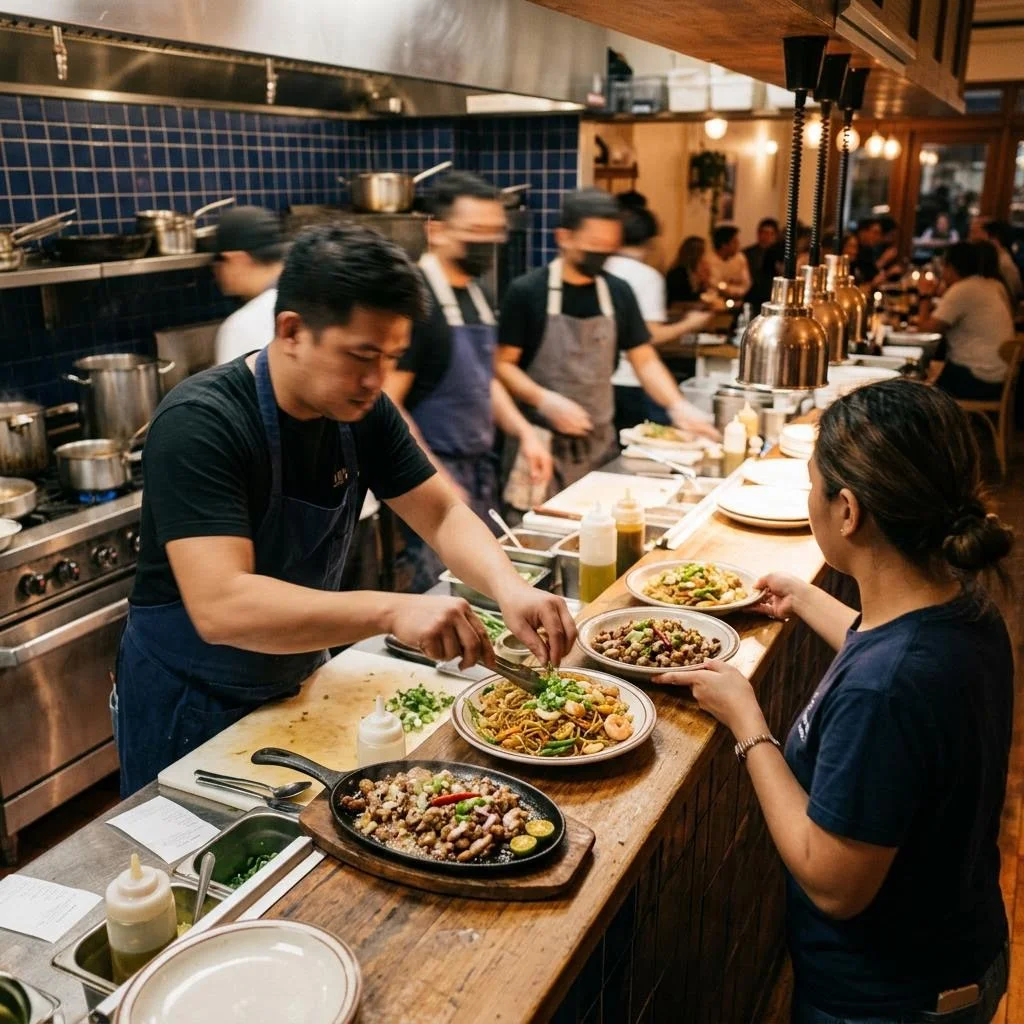
The pass during the lunch rush, when paper tickets usually start to pile up.
New orders appear on a kitchen display, grouped by table. Cooks mark dishes as they move from queued to ready, so servers know what to pick up without shouting across the pass.
- Better communication between floor and kitchen
- No lost or smudged tickets
- Servers know what is ready, and for which table
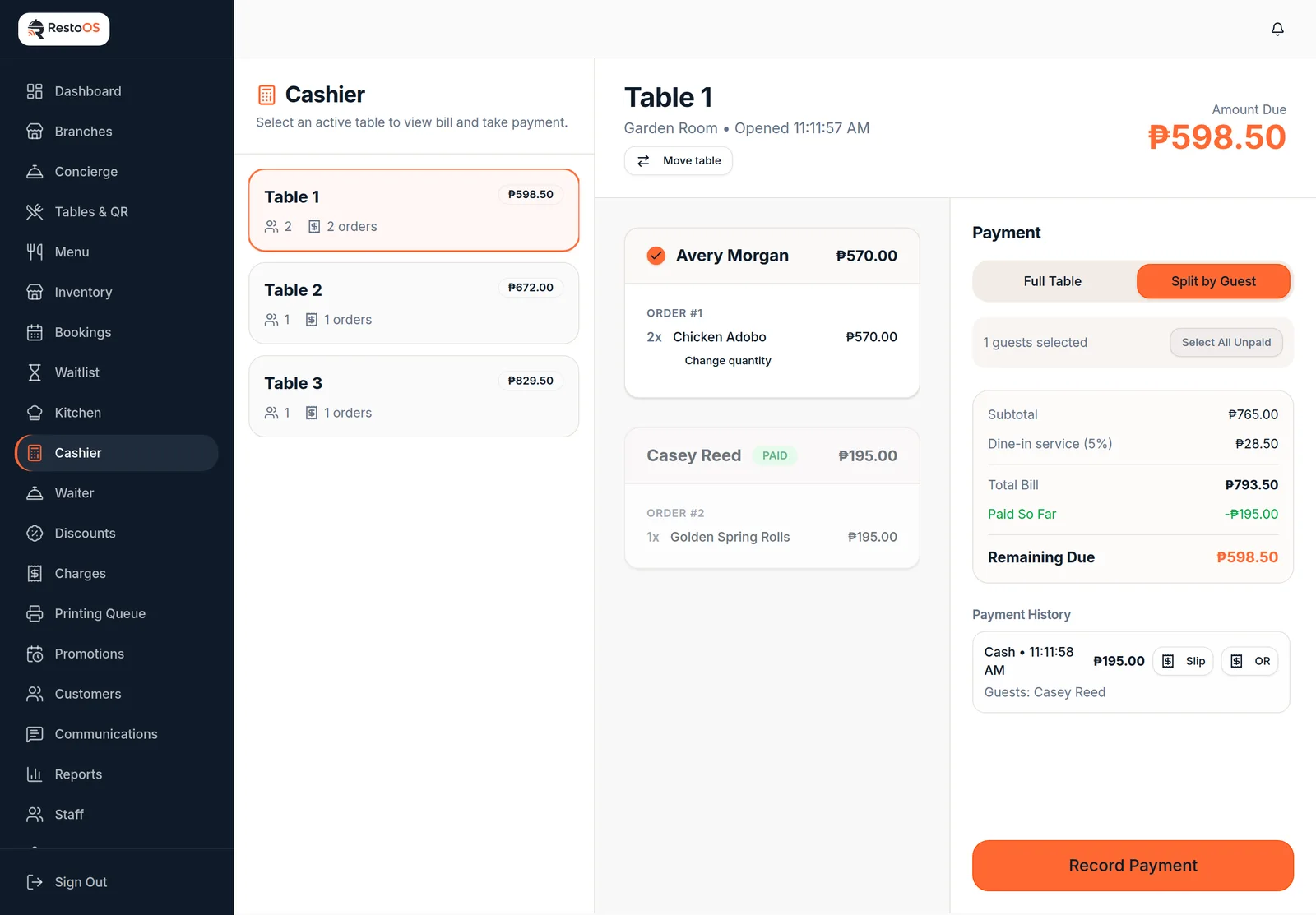
POS & billing
Bills that are already itemised.
A table of eight wants to pay separately, and the queue at the counter is growing.
The cashier opens the table and every item is already there, because it came from the original order. Split the bill between guests and settle it without re-keying anything.
- Faster checkout at busy times
- Less repetitive typing for cashiers
- Totals that match what was actually ordered
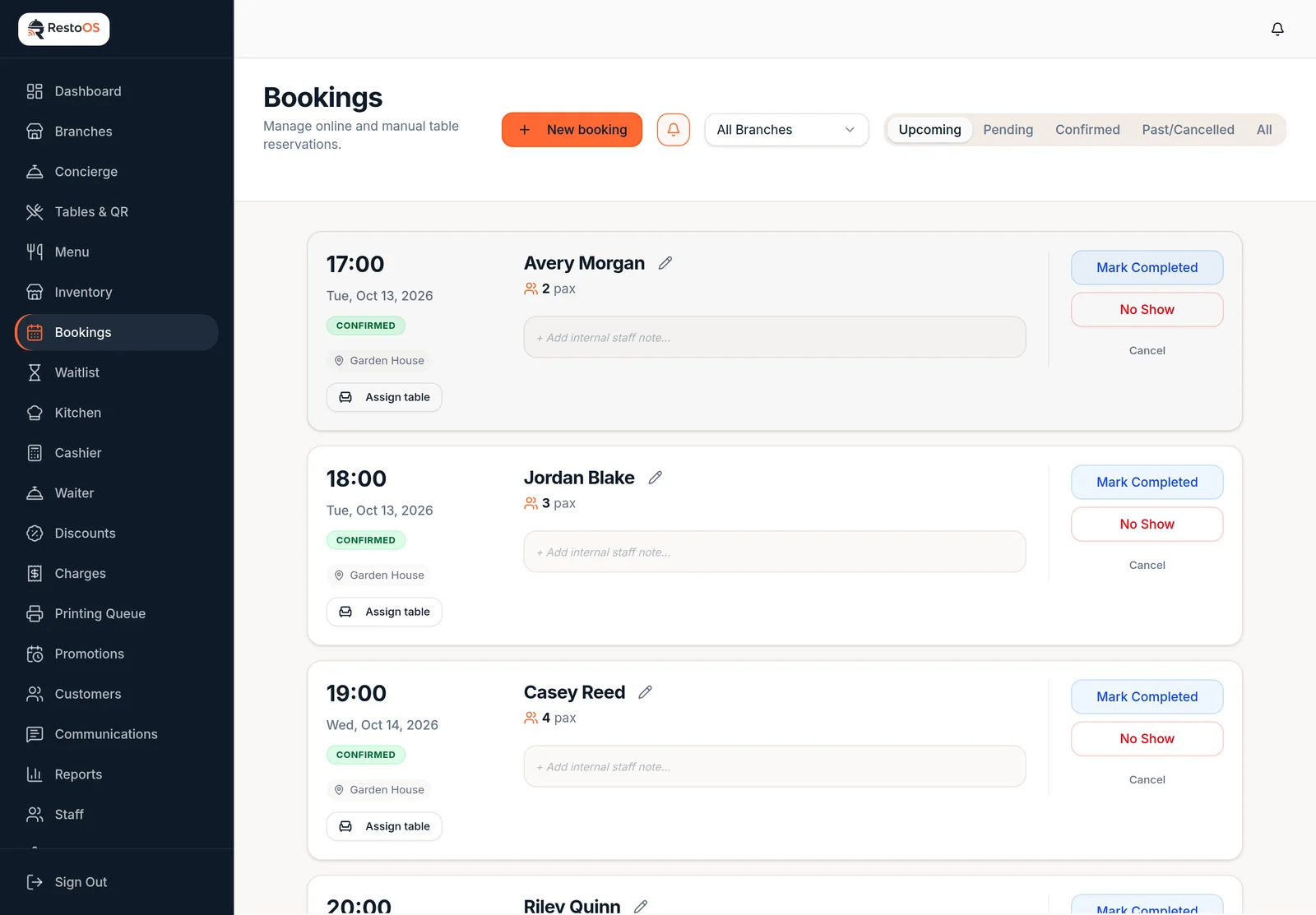
Reservations
Every booking in one place.
A regular messages on Thursday to book a table for a birthday on Sunday.
Instead of a notebook, a chat thread and someone's memory, bookings are recorded in RestoOS. The whole team can see who is coming, when, and for how many.
- Fewer missed or double-booked tables
- Better preparation for busy days
- A better welcome for returning guests
- Customers can also book directly online.
Also included in the catalogue
The supporting tools that keep the rest of the business organised.
Run the menu and the floor
Back office
06Before and after
From Manual Work to Smarter Operations.
- Before: Handwritten ordersAfter: Digital ordering
- Before: Disconnected kitchenAfter: Connected kitchen display
- Before: Lost reservationsAfter: Online reservations
- Before: Slow billingAfter: Organised billing
- Before: Limited reportingAfter: Business reporting
07Benefits
Spend Less Time Managing. More Time Growing.
Reduce manual work
Less copying between paper, chat and spreadsheets. Your team spends that time with guests instead.
- 02
Improve order accuracy
Orders travel digitally from table to kitchen.
- 03
Speed up the workflow
Every role sees the next action without asking.
- 04
Capture more bookings
Reservations recorded in one place are harder to miss.
- 05
Better customer experience
Shorter waits and fewer mistakes at the table.
- 06
Make informed decisions
Reports built from what actually happened.
08Solutions
Designed for Restaurants and Bars of All Sizes.
Restaurants
See detailsCoordinate a full menu across floor, kitchen and cashier.
Cafes
See detailsKeep the counter moving with quick ordering and clean billing.
Bars & Pubs
See detailsTrack open tabs per table and settle them without confusion.
Quick Service
See detailsPush high-volume orders to the kitchen as soon as they are placed.
Casual Dining
See detailsManage tables, courses and reservations in one view.
Multi-Branch Groups
See detailsRestoOS supports branch-scoped management of settings and records. Please confirm how this applies to your group in a demo.
09Philippines
Built for Filipino Restaurants. Priced for Filipino Businesses.
RestoOS is developed by XOS Digital Corporation for owners in the Philippines moving away from paper and disconnected tools.
Made for the Philippine market
- Local-market positioning
- Designed around how Filipino restaurants and bars actually operate.
- Practical demonstrations
- Walkthroughs using restaurant scenarios your team will recognise.
- Familiar workflows
- From order to kitchen to cashier, in the sequence you already run.
10Pricing
Powerful restaurant software without the expensive cost.
From taking orders and managing your kitchen to processing payments and tracking sales, RestoOS brings your entire restaurant together in one easy-to-use system. Save time, reduce operating costs, serve customers faster, and grow your business — all at a price designed for restaurants in the Philippines.
11Getting started
Get Your Restaurant Up and Running in 3 Simple Steps.
- 1
Book a Free Demo
Tell us how your restaurant runs.
- 2
Set up your restaurant
Add your menu, tables and staff with their roles.
- 3
Start managing
Take orders, run the kitchen and settle bills from one system.
12Gallery
See RestoOS in Action.
Select an image to view it larger.
13Illustrative examples
Built to Help Restaurant Owners Succeed.
These are illustrative service scenarios showing how RestoOS is designed to be used.
- Example scenario
A family restaurant during Sunday lunch
The situation. Every table fills at once and paper tickets pile up at the pass.
How RestoOS helps. Table QR ordering sends orders straight to the kitchen display, and servers see which dishes are ready for which table.
- Example scenario
A neighbourhood bar on a Friday night
The situation. Groups order in rounds and want to split the bill at the end.
How RestoOS helps. Each guest’s orders are automatically listed under their name, making it easy to see who ordered what. At checkout, the cashier can settle the whole table as one bill or split payments by guest, making checkout quick, simple and hassle-free.
- Example scenario
An owner with a second branch
The situation. It is hard to know what is happening at the location you are not standing in.
How RestoOS helps. RestoOS supports branch-scoped management of settings and records. Please confirm how this applies to your group in a demo.
14Resources
Frequently Asked Questions
Setup, training and everyday use.
15 / Get started
Ready to Run Your Restaurant Smarter?
Discover how RestoOS can simplify everyday operations, improve customer service and give you greater control over your business.