
Staff Roles & Permissions
Give each person the access their role needs.
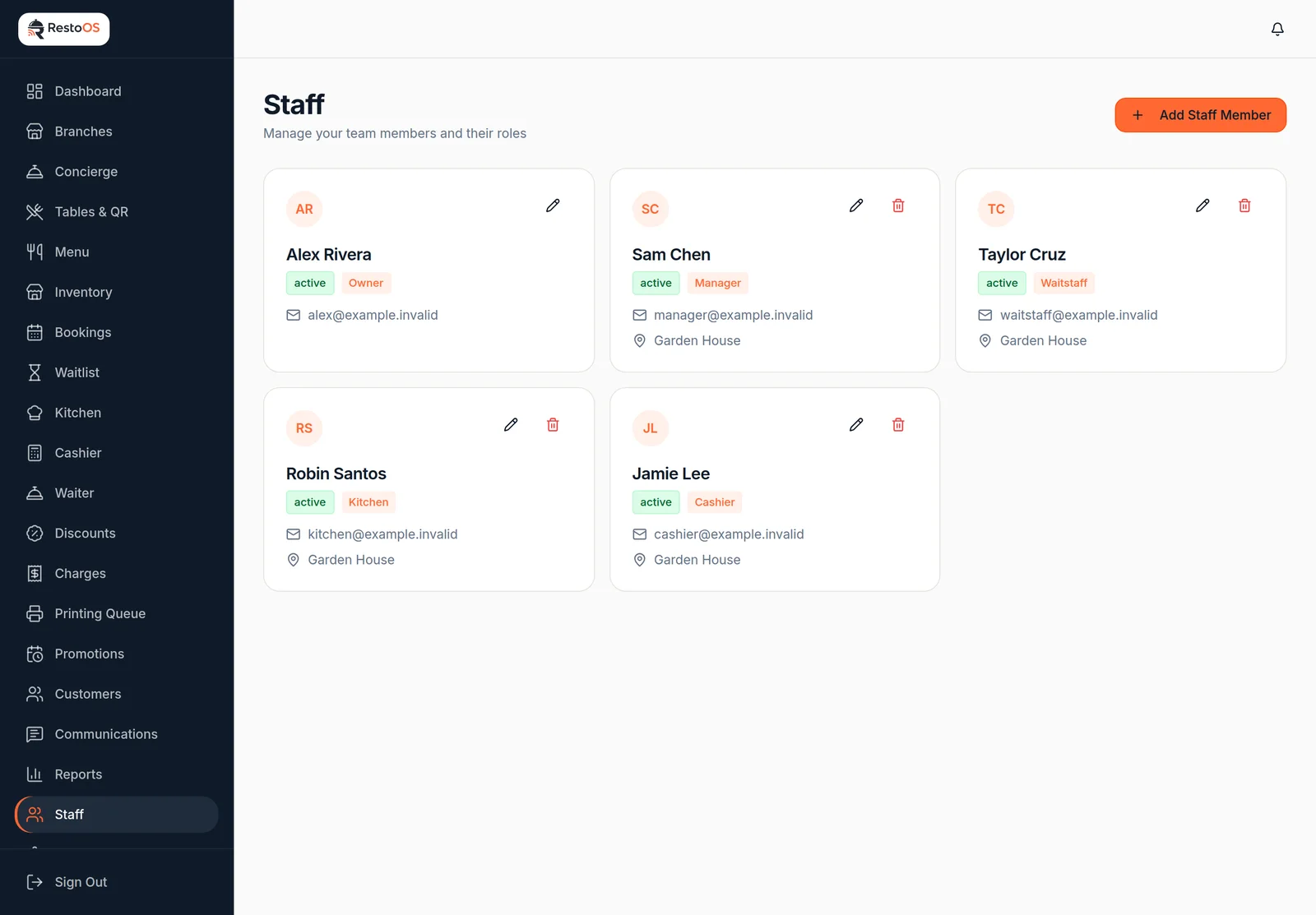
RestoOS supports staff roles to organise access to business functions. Confirm the available roles, their permissions and the account setup that fits your team during a demonstration.
01 / The problem
One shared password is not a security policy.
When the whole team uses the same login, anyone can change a price or view the day's takings, and nobody can tell who did what. Adding a new hire means sharing the password again; letting someone go means changing it for everyone.
- A single shared login taped to the counter
- Sales figures visible to every staff member
- Menu and price changes with no clear owner
- Awkward password changes whenever staff leave
02 / How RestoOS solves it
Access that matches the job.
- 1
Review your team
Identify which business functions each person needs.
- 2
Review available roles
Ask which documented roles match your team's responsibilities.
- 3
Confirm permissions
Check the actual tools and records accessible to each role.
- 4
Plan staff changes
Confirm how access changes are handled when someone changes jobs or leaves.
03 / In practice
A new server's first shift.
A quick service restaurant hiring a part-time server for weekends.
- Before
The manager lists the functions the new team member needs.
- Demo
The team checks which roles and permissions support those responsibilities.
- Setup
Access is arranged using the options confirmed for the restaurant.
- Later
The manager follows the confirmed access-change process when responsibilities change.
- Check the available permissions before relying on a role to restrict a particular function.
04 / Key capabilities
How access is controlled.
- Role-based access
- Roles decide which parts of RestoOS a person can use.
05 / Business benefits
Safer access, simpler onboarding.
Operational benefits
- 01
Clearer onboarding
Discuss access needs before a new team member starts.
- 02
Less confusion on shift
Agreed responsibilities help staff understand which functions they should use.
- 03
Clearer responsibility
Review access needs against each person's responsibilities; change-history tracking is not claimed.
Financial benefits
Described in plain terms. We do not quote savings percentages or guaranteed returns.
Protect sensitive figures
Limit who can view takings and change prices.
Fewer unauthorised changes
Restricting settings reduces costly mistakes on the menu or bills.
06 / Works with
Related features
Confirm which roles can view reports.
Read the feature pageDecide who can access billing.
Read the feature pageAccess scoped to each branch. Confirm your setup.
Read the feature pageControl who can edit items and prices.
Read the feature page
07 / Questions
Questions about staff access.
Map your team to RestoOS.
Bring your staff list. We will show how roles fit your floor, kitchen and counter.