
QR Code Ordering
The order starts when the guest sits down.
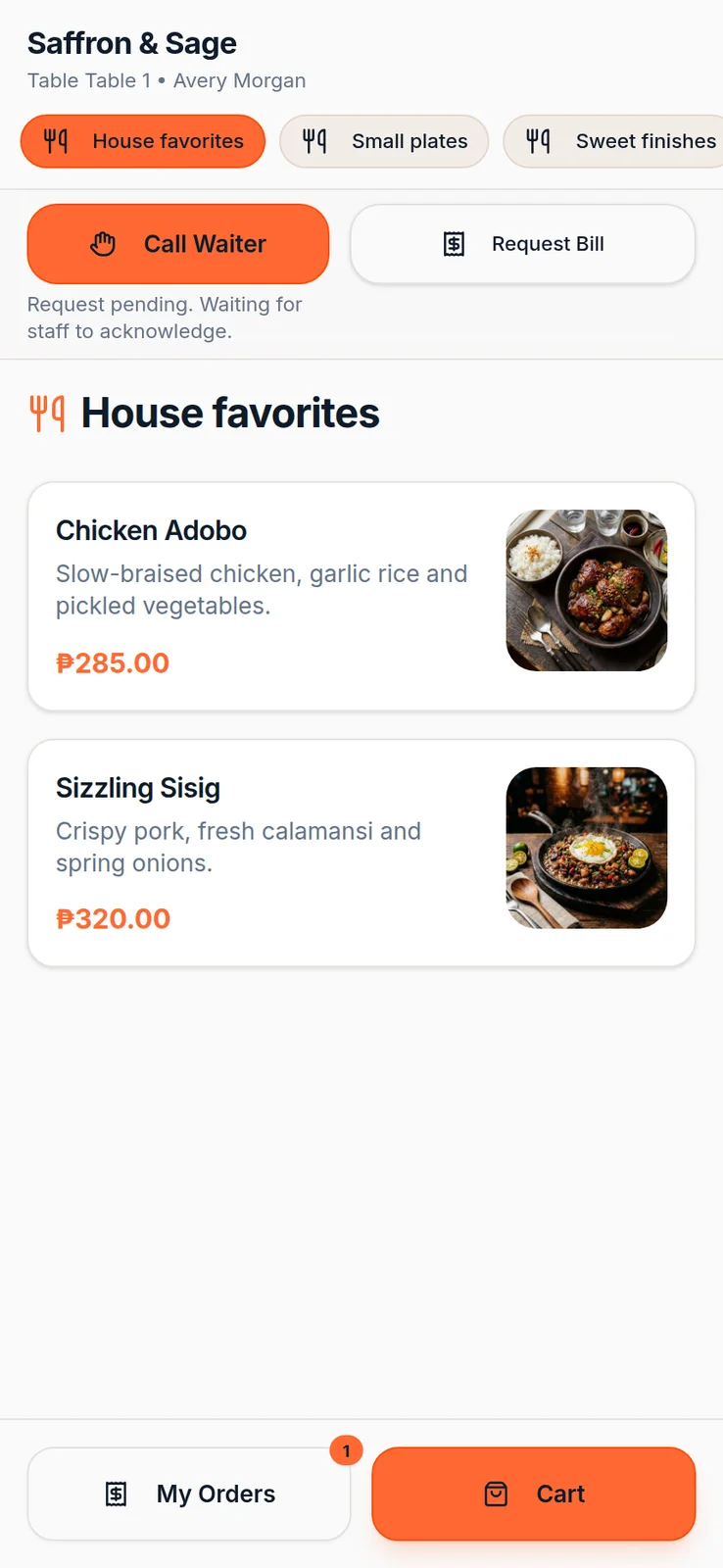
Every table gets its own QR code. Guests open your menu on their own phones and send orders that arrive in RestoOS already tied to the right table, so nobody has to rewrite them.
01 / The problem
The first bottleneck is the order itself.
On a full night, guests wait for a menu, then a server, then a pen. Orders are written by hand, carried to the kitchen and sometimes read differently from how they were said. The second round is even harder to get, because staff are already stretched.
- Guests waving for attention just to order
- Tickets misread, misplaced or changed on the way to the pass
- Servers spending their time transcribing instead of serving
- Extra rounds that never get ordered
02 / How RestoOS solves it
From table scan to kitchen ticket, without rewriting.
- 1
Scan the table code
Each table has its own QR code, so the system knows where the order comes from.
- 2
Browse the menu
Guests view your categories, items and prices on their own phone.
- 3
Send the order
The order goes straight into RestoOS, linked to that table.
- 4
Kitchen and floor see it
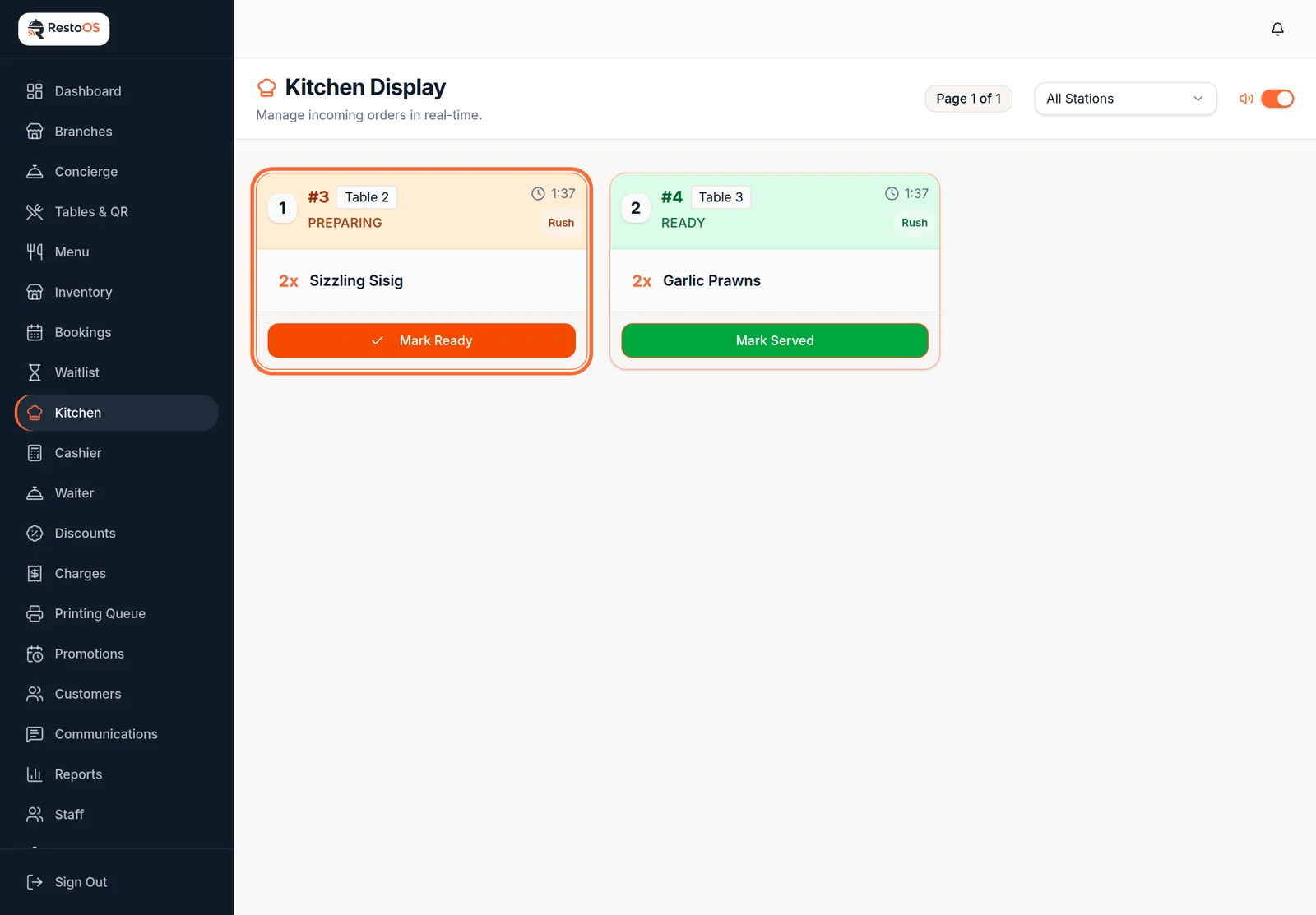
It appears on the kitchen display, and the table view shows what has been ordered.
03 / In practice
One table, one lunch.
A family restaurant, Sunday lunch, twelve tables and two servers on the floor.
- 12:05
A family of six sits at Table 7 and scans the QR code on the table.
- 12:08
They browse the menu together and send their first order from one phone.
- 12:08
The order appears on the kitchen display under Table 7.
- 12:31
They add another round of drinks from the same QR menu, with no need to wave for staff.
- 13:10
At the counter, the cashier opens Table 7 and the bill is already itemised.
- The servers spent lunch running food and looking after guests, not writing tickets.
04 / Key capabilities
What it does today, and what we are verifying.
- Table-specific QR codes
- One code per table, so every order is attached to the right place.
- Guest menu on their own phone
- Opens in the phone's browser to show your categories, items and pricing.
- Orders sent directly into the system
- No re-keying between what the guest chose and what the kitchen sees.
- Kitchen display hand-off
- New orders are queued on the kitchen display, grouped by table.
- Flows into billing
- The table's order becomes the itemised bill at the cashier, with split payments.
05 / Business benefits
Less writing. More serving.
- 01
Fewer trips just to take orders
Servers can focus on delivering food and looking after the room.
- 02
Fewer transcription mistakes
What the guest chose is what the kitchen receives.
- 03
Easier extra rounds
Adding another order takes a few taps instead of a wait.
- 04
Cleaner checkout
Bills are built from the original order, not reconstructed at the end.
06 / Works with
Related features
Where QR orders land: queued by table and tracked to ready.
Read the feature pageTurns the table's QR order into an itemised bill with split payments.
Read the feature pageThe categories, items and prices guests see when they scan.
Read the feature page
07 / Questions
Asked by owners before they switch.
See a table order travel through RestoOS.
We will walk through a scan, an order and a settled bill using a demo menu, and confirm what applies to your restaurant.