
Kitchen Management
Every ticket readable. Every dish accounted for.
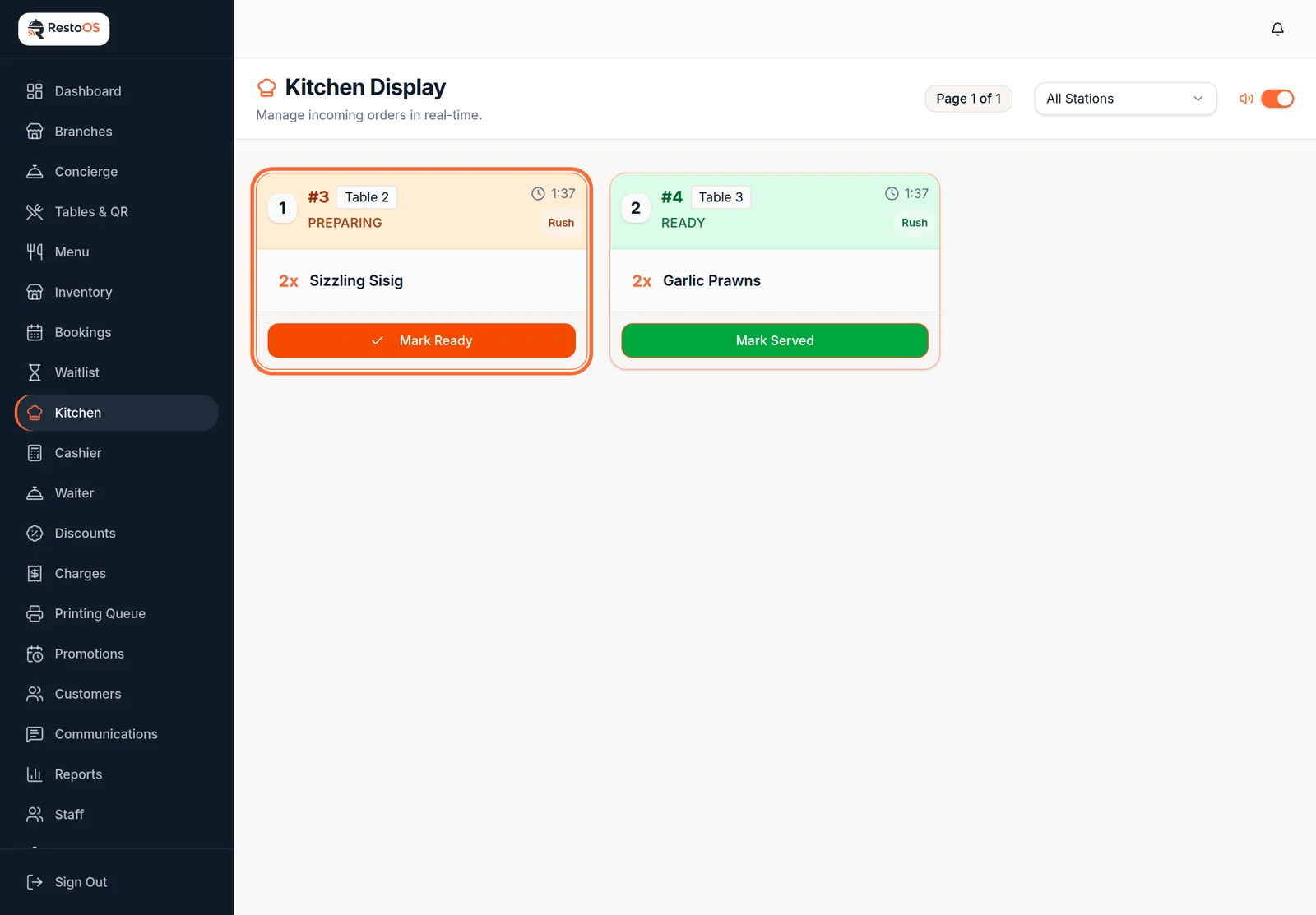
RestoOS brings recorded orders into the kitchen workflow. Confirm the preparation statuses and service hand-off available for your setup, including any staff-assisted ordering.
01 / The problem
The pass is where good service falls apart.
Paper tickets get smudged, stacked out of order or lost under a plate. Servers keep asking whether a table's food is ready, and cooks lose minutes answering instead of cooking. During the rush, nobody has a clear picture of what is waiting and what is done.
- Tickets that are hard to read or arrive out of sequence
- Servers interrupting the line to ask about orders
- Dishes ready on the pass with nobody sure which table they belong to
- Changes to an order shouted rather than recorded
02 / How RestoOS solves it
From order to pass, with status at every step.
- 1
Order arrives
Recorded orders enter the kitchen workflow. Confirm how staff-assisted orders are handled during your demo.
- 2
Grouped by table
Cooks see each order with its table, so dishes go out together.
- 3
Status updated
Dishes move from queued to preparing to ready as the line works.
- 4
Floor collects
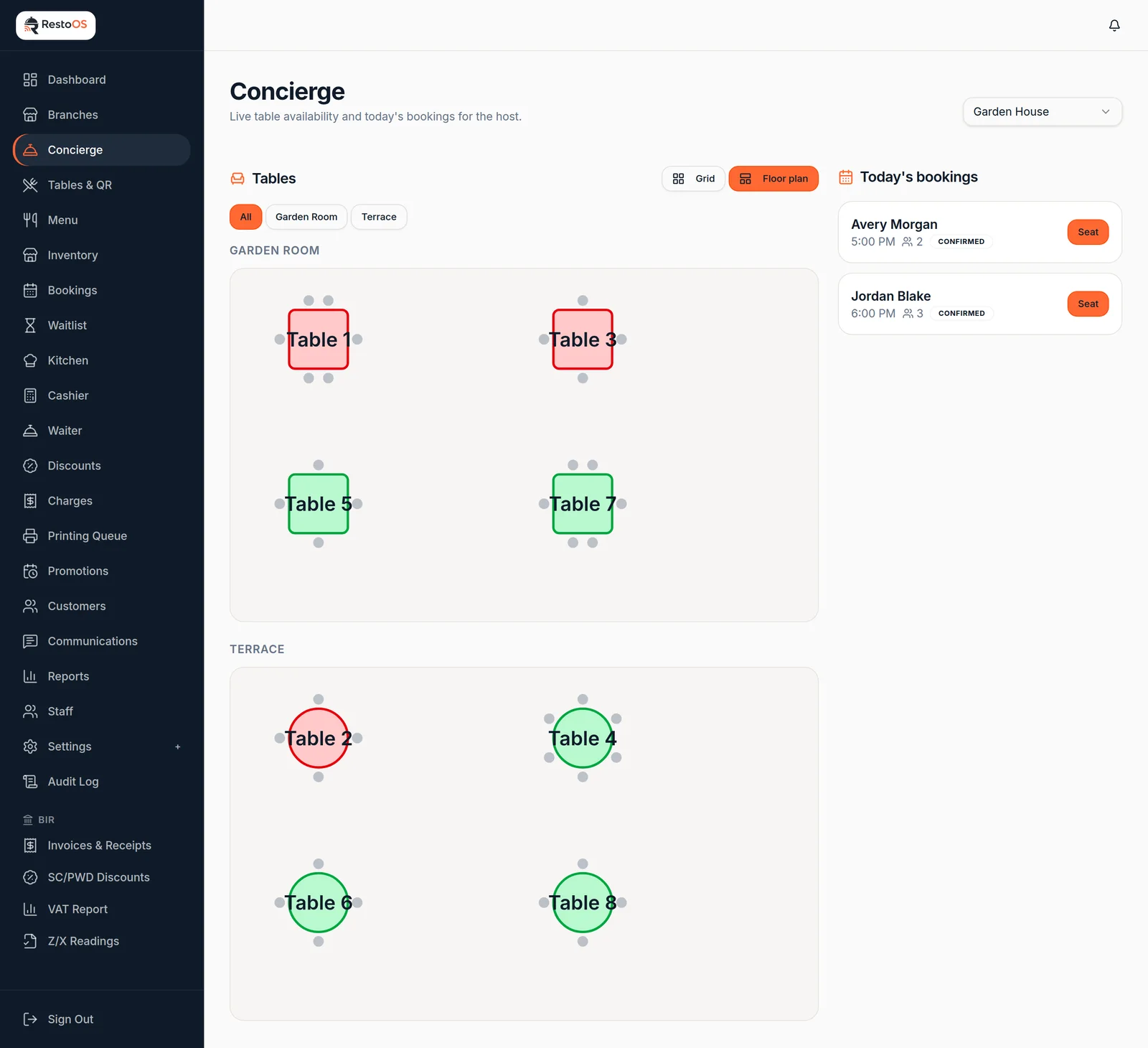
Servers see what is ready and for which table, then run it out.
03 / In practice
The lunch rush, without the ticket rail.
A casual dining kitchen at 12:30 on a weekday, two cooks on the line and the office crowd arriving.
- 12:31
Three tables order within a minute. All three appear on the kitchen display, each under its table.
- 12:38
The line marks Table 2's dishes as preparing while Table 5's soups are marked ready.
- 12:39
A server checks the service view, sees Table 5 is ready and collects without asking.
- 12:47
Table 2 is marked ready and goes out together, not dish by dish.
- The cooks cooked. The servers knew what to pick up. Nobody had to shout.
04 / Key capabilities
What the line sees.
- Kitchen display queue
- New orders appear on a screen in the kitchen as they are placed.
- Orders grouped by table
- Dishes are shown with their table so they can be sent out together.
- Preparation status
- Cooks move dishes from queued to ready as work progresses.
- Ready visibility for servers
- Service views show what is ready to run, and for which table.
05 / Business benefits
A calmer pass on a full night.
Operational benefits
- 01
Fewer interruptions on the line
Servers check status on screen instead of asking the cooks.
- 02
Clearer communication
The kitchen and the floor work from the same order information.
- 03
Tables served together
Grouping by table helps dishes leave the pass at the same time.
Financial benefits
Described in plain terms. We do not quote savings percentages or guaranteed returns.
Fewer remakes
Readable digital orders reduce dishes cooked from a misread ticket.
More covers from the same team
Time saved at the pass is time available for the next table.
06 / Works with
Related features
Guest orders go straight into the kitchen queue.
Read the feature pageThe items and categories cooks see on each ticket.
Read the feature pageWhat the kitchen prepared becomes the itemised bill.
Read the feature pageGuest assistance requests on the floor. Ask about availability.
Read the feature page
07 / Questions
Questions from the kitchen.
Put the kitchen display on your pass.
We will send demo orders through the queue and show how status reaches the floor, then confirm the screens you would use.