
Inventory Management
Know what is in the chiller before you order more.
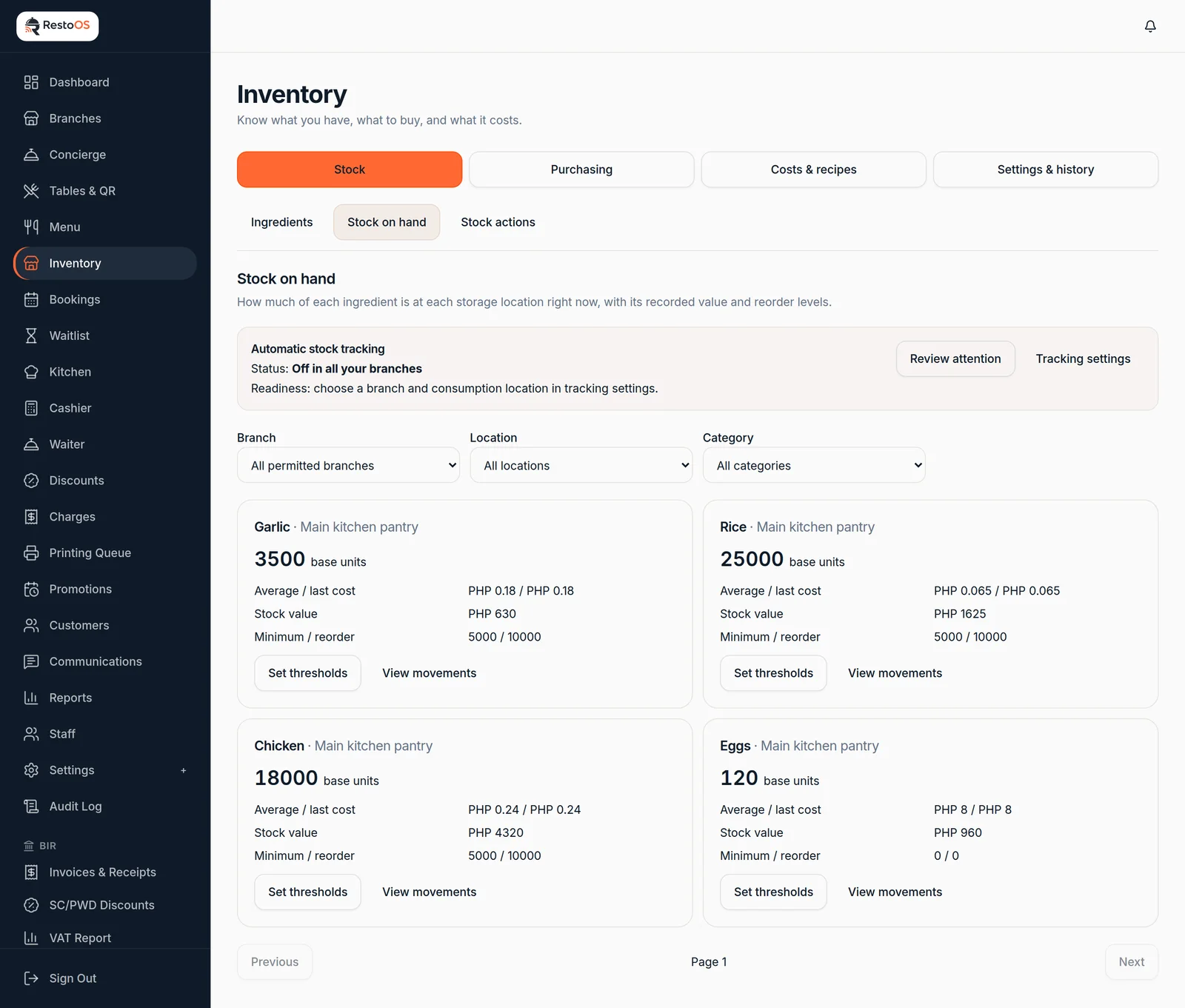
Most stock problems start with not knowing what you have. RestoOS inventory tools are designed to give you structured stock records. Their availability for your restaurant should be confirmed in a demo before you rely on them.
01 / The problem
Stock is money sitting on a shelf.
Counts happen on paper at closing time, if at all. Over-ordering leads to spoiled produce; under-ordering means telling guests a favourite dish is unavailable. Without records, it is hard to tell whether a shortage was a busy night, a recipe drifting or something more serious.
- Stock counted by hand on a clipboard after a long shift
- Produce thrown away because too much was ordered
- Dishes removed mid-service because an ingredient ran out
- No clear record of adjustments or wastage
02 / How RestoOS solves it
What a restaurant needs from inventory, and what to confirm.
- 1
Ingredient records
A list of ingredients and quantities on hand. Confirm how this is set up for you.
- 2
Configured consumption
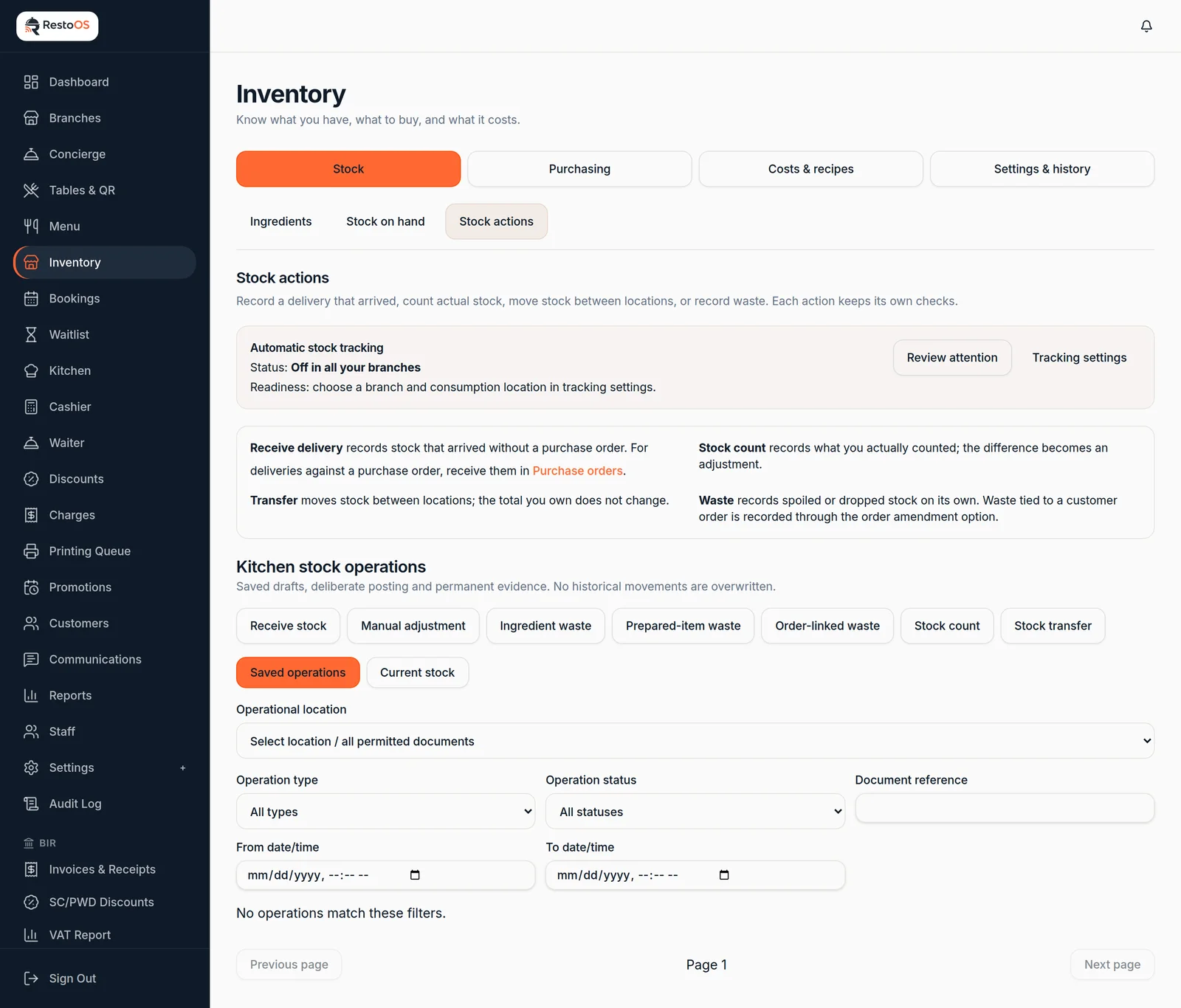
Consumption follows configured order workflow events, including preparation-related statuses. Confirm the rules enabled for your restaurant.
- 3
Adjustments and waste
Recording spoilage and corrections. Confirm what can be recorded.
- 4
Stock visibility
A clear view before you place the next order. We will show what is available today.
03 / In practice
Closing time, and tomorrow's order.
A cafe kitchen at 9 pm. The manager needs to decide how much milk, bread and calamansi to order.
Illustrative scenario describing a restaurant need, not a demonstration of confirmed functionality.
- 21:00
Today: the manager counts shelves by hand and estimates tomorrow's usage.
- 21:20
Today: the order is placed from memory and a clipboard.
- Goal
With confirmed inventory tools, the manager would review structured stock records instead.
- Demo
In your demo, we confirm which of these steps RestoOS supports for your setup.
- Start by understanding your own stock routine, then confirm which parts RestoOS can take on.
05 / Business benefits
Why stock records matter.
Operational benefits
- 01
Less time on manual counts
Structured records can shorten the end-of-day routine, once confirmed for your setup.
- 02
Fewer surprises during service
Knowing stock levels helps avoid removing dishes mid-shift.
- 03
Clearer accountability
Recorded adjustments make it easier to understand discrepancies.
Financial benefits
Described in plain terms. We do not quote savings percentages or guaranteed returns.
Aimed at less over-ordering
Better information can help you order closer to what you need.
Visibility into waste
Recording spoilage is the first step to reducing it.
06 / Works with
Related features
Ordering stock from suppliers. Ask about availability.
Read the feature pageThe dishes that use your ingredients.
Read the feature pageSales summaries that inform what you order.
Read the feature pageRecords kept per branch. Confirm your setup.
Read the feature page
07 / Questions
Honest answers about inventory.
Tell us how you count stock today.
We will walk through your routine and confirm, plainly, which inventory tools are available for your restaurant.